
Last Updated on March 19, 2026 by Laura Ripley
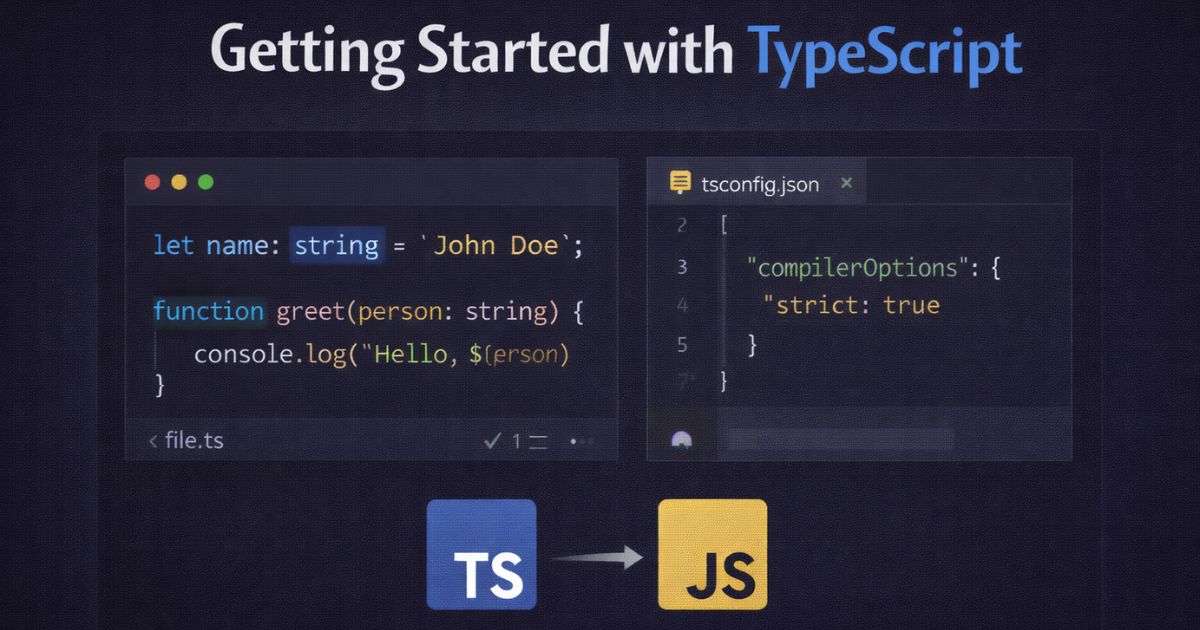
TypeScript is JavaScript with a type system. It catches errors at compile time, powers better editor autocompletion, and makes large codebases easier to navigate and maintain. When TypeScript compiles, it produces standard JavaScript — meaning it runs anywhere JavaScript runs, without any runtime overhead.
This guide covers installation, project setup, and the core language features you’ll use every day.
Contents
Prerequisites
You’ll need Node.js and npm installed. Verify both are available before continuing:
bash
node -v
npm -v
Installation
For most projects, install TypeScript locally as a dev dependency rather than globally. This ensures every contributor uses the same version:
bash
npm install --save-dev typescript
If you want the tsc compiler available system-wide for quick experimentation, you can also install globally:
bash
npm install -g typescript
Verify the installation:
bash
tsc -v
Project Setup with tsconfig.json
Rather than passing compiler options on the command line each time, TypeScript projects use a tsconfig.json file. Generate a default one with:
bash
tsc --init
This creates a tsconfig.json with sensible defaults and commented explanations for every option. The two settings worth enabling immediately are:
json
{
  "compilerOptions": {
    "target": "ES2020",
    "strict": true,
    "outDir": "./dist",
    "rootDir": "./src"
  }
}
strict: true is the most important setting here. It enables a collection of checks — including strictNullChecks and noImplicitAny — that catch the categories of bugs TypeScript is best at finding. Start with it on. You’ll thank yourself later.
With this config in place, run tsc from your project root to compile everything in src/ to dist/. Use tsc --watch during development to recompile automatically on save.
VS Code note: VS Code has TypeScript support built in. You get type checking, autocompletion, and inline error highlighting with no plugins or extensions required.
Basic Types
TypeScript infers types wherever it can. You only need to annotate where inference isn’t possible or where being explicit adds clarity.
ts
// TypeScript infers these types — no annotation needed
const siteName = 'Treehouse';   // string
const year = 2026;              // number
const isPublished = true;       // boolean

// Annotate function parameters and return types explicitly
const greet = (name: string): string => {
  return `Hello, ${name}`;
};
The primitive types you’ll use most often are string, number, boolean, null, undefined, and unknown. Avoid any — it disables type checking entirely and defeats the purpose of using TypeScript.
Arrays and objects
ts
const scores: number[] = [95, 87, 92];

const user: { name: string; age: number } = {
  name: 'Alice',
  age: 32,
};
Interfaces and Type Aliases
Both interfaces and type aliases let you name a shape and reuse it. For object shapes, either works — pick one and be consistent within a project.
ts
// Interface
interface Contact {
  name: string;
  email: string;
  phone?: string; // optional property
}
// Type alias — functionally equivalent for object shapes
type Contact = {
  name: string;
  email: string;
  phone?: string;
};
The ? marks a property as optional. TypeScript will not require it to be present, but will type it correctly when it is.
Use your defined types as annotations on variables, parameters, and return values:
ts
const addContact = (contact: Contact): void => {
  console.log(`Adding ${contact.name}`);
};

const addressBook: Contact[] = [];
addressBook.push({ name: 'Alice', email: 'alice@example.com' });
Union Types
A union type describes a value that can be one of several types. This is one of the features you’ll reach for constantly in real code:
ts
const formatId = (id: string | number): string => {
  return `ID-${id}`;
};

formatId(42);        // 'ID-42'
formatId('abc-99'); // 'ID-abc-99'
Union types also work with literal values, which is useful for constraining a variable to a specific set of strings:
ts
type Status = 'draft' | 'published' | 'archived';

const setStatus = (status: Status): void => {
  console.log(`Status set to: ${status}`);
};

setStatus('published'); // fine
setStatus('deleted');   // TypeScript error: not assignable to type 'Status'
Classes
TypeScript adds property declarations and access modifiers to JavaScript classes. The public shorthand in the constructor is the most concise way to declare and initialise properties at once:
ts
interface Point {
  x: number;
  y: number;
}

class Monster {
  constructor(
    public name: string,
    public position: Point
  ) {}

  describe(): string {
    return `${this.name} is at (${this.position.x}, ${this.position.y})`;
  }
}

const boss = new Monster('Dragon', { x: 10, y: 4 });
console.log(boss.describe()); // 'Dragon is at (10, 4)'
Properties declared with public are accessible from outside the class. Use private or readonly to restrict access where appropriate.
A Brief Introduction to Generics
Generics let you write functions and classes that work with any type while still being type-safe. The canonical example is a typed wrapper around an array:
ts
const first = <T>(items: T[]): T => {
  return items[0];
};

first([1, 2, 3]);         // TypeScript knows this returns number
first(['a', 'b', 'c']);   // TypeScript knows this returns string
Generics are a deep topic — this is enough to recognise them when you see them in library code. The TypeScript handbook on generics is the best place to go deeper.
Where to Go Next
- TypeScript Playground — experiment with TypeScript in the browser with no setup
- TypeScript Handbook — the official reference, well-written and thorough
- TypeScript with Vite — the fastest way to get TypeScript running in a modern frontend project with zero manual config
- ts-node — run TypeScript files directly in Node.js without a separate compile step








Thank you for your post, Andrew! It’s very clear and straightforward. I’m currently working with AngularJS but I think it’s time to upgrade to Angular2 and of course with TypeScript. 🙂
tsc is depreciated. ntsc is the one to use now.
Hi, Andrew! Many thanks for good stuff. What about intellsense in linux world, is there some VS alternative for quiqly start?
Visual Studio Code is cross-platform. Works on Linux 🙂
Thank you for this article. I have read your suggested articles that are,TypeScript is Hot Now, and Looking Forward. I found this stuff very helpful and will look forward for more information.
Any chance of a TypeScript course on Treehouse?
Vote here: https://trello.com/b/r5R1JZNO/treehouse-javascript-content-roadmap
We’ll be focusing more on TypeScript as a language as opposed to other frameworks….at least initially. We’ll probably integrate some frameworks into it but the focus will be on getting started with the actual TypeScript language.
Angular 2 and Ionic 2 both will use TypeScript
Thank you Andrew I got first step with TypeScript. And I hope get more step.